Find the devices that need attention.
Review connectivity and open incidents, then filter the device list to narrow down the problem. See the last report and screenshot before opening a device.
Magpie by NiceAV / Windows signage monitoring
A screen has gone blank. Is the player offline? Has the signage app stopped? Magpie brings device status, screenshots and incidents into one place, so your support team can decide what to try next.
For the teams keeping digital signage running across multiple sites.
Less time finding the fault.Bring the information together before working through a support call.
A chance to avoid the visit.Try the appropriate remote action before sending someone to site.
A record to refer back to.Review incidents and recovery activity when the same issue returns.
From report to response
A player being online is only one part of the picture. Magpie helps you look at connectivity, the application and the captured screen together.
Review connectivity and open incidents, then filter the device list to narrow down the problem. See the last report and screenshot before opening a device.
Inspect the player’s application status, resource usage and incident history. Check screenshot timestamps: a captured image shows a moment in time, not a live feed.
Request a screenshot, restart an application or reboot the player. Configured recovery rules can handle supported faults automatically; review the recorded outcome and available evidence.
A closer look
These illustrations follow the Magpie interface, using fictional players, addresses and screen content throughout.
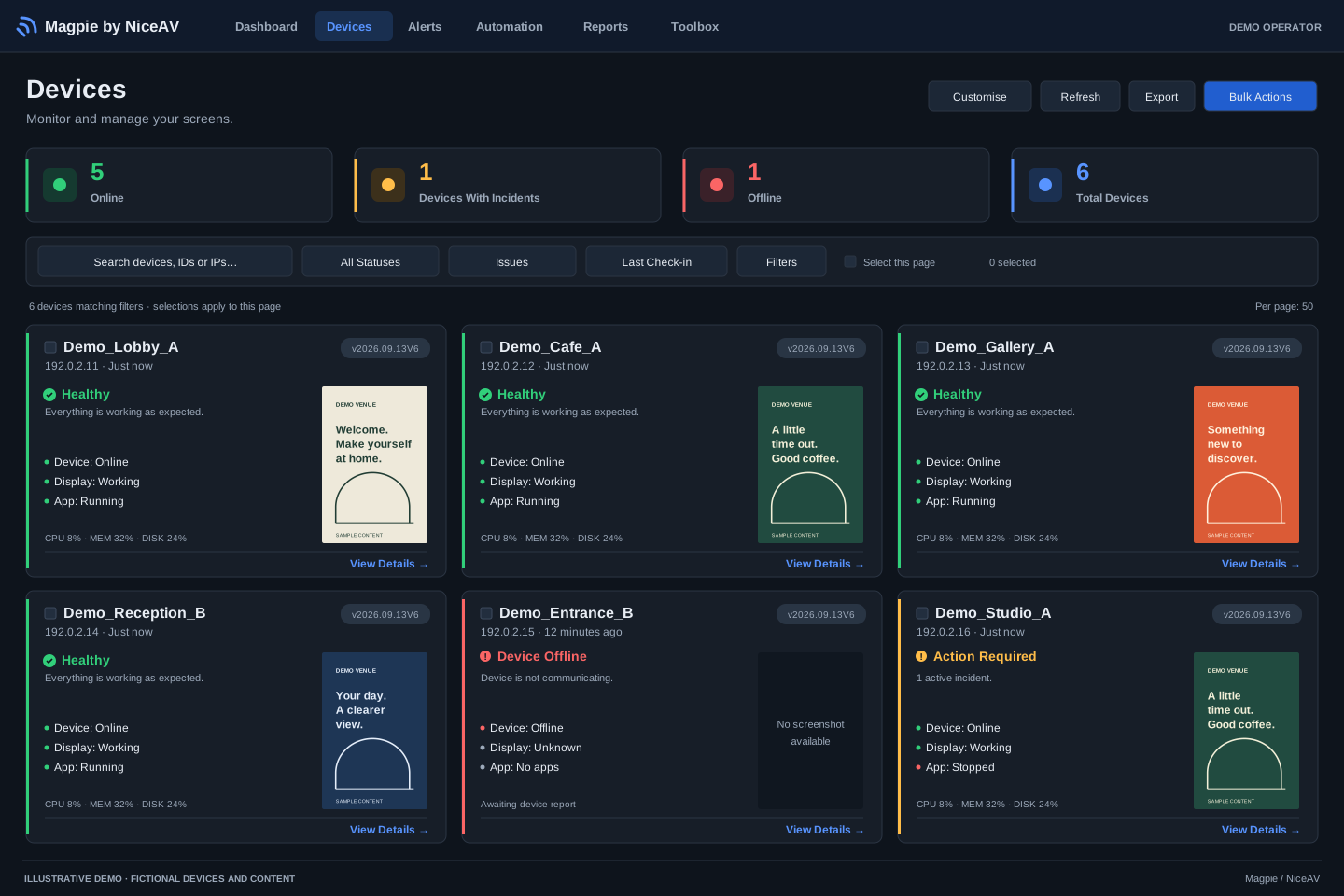
Device cards combine connection status, application status and a screenshot. Open incidents remain visible alongside connectivity, helping you choose what to investigate first.
Enlarge view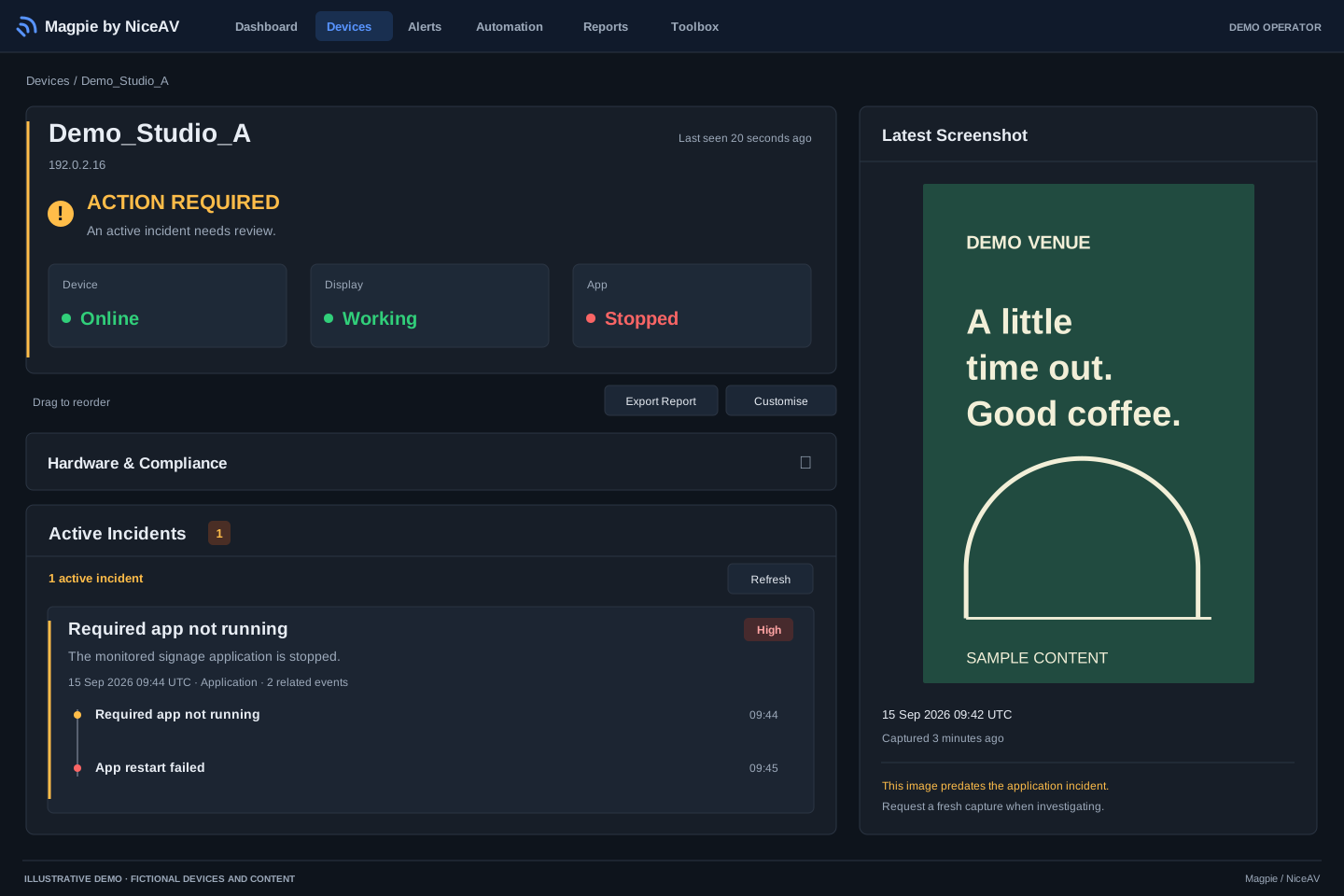
An online player can still have an application fault. The device view brings its status, incident activity and latest captured screen together for investigation.
Enlarge viewIllustrative views, not live customer captures. Figures describe this fictional example only.
Before you start
Start with the players you use and the faults your team spends time on. A walkthrough can show how Magpie fits into that support workflow.
The current offering is for Windows media players. We will check your Windows version, player hardware, signage software and installation requirements before agreeing a pilot.
No. Magpie focuses on monitoring, diagnostics and recovery. Your existing signage software continues to schedule and play your content.
No. Automatic recovery depends on the fault, the client’s capabilities and your configured policy. Some issues still need someone to investigate remotely or visit the site.
They are captured images with timestamps, not a continuous video stream. Review the capture time alongside the player’s latest report and incident history.
Get in touch with your approximate player count and setup. We can discuss a walkthrough, the scope of a pilot and a quote. Billing is by invoice.
Talk to Callum
Tell me roughly how many screens you manage, which Windows players and signage software you use, and what causes the most support calls. We can arrange a walkthrough and discuss a small pilot.
callum@niceav.co.uk